

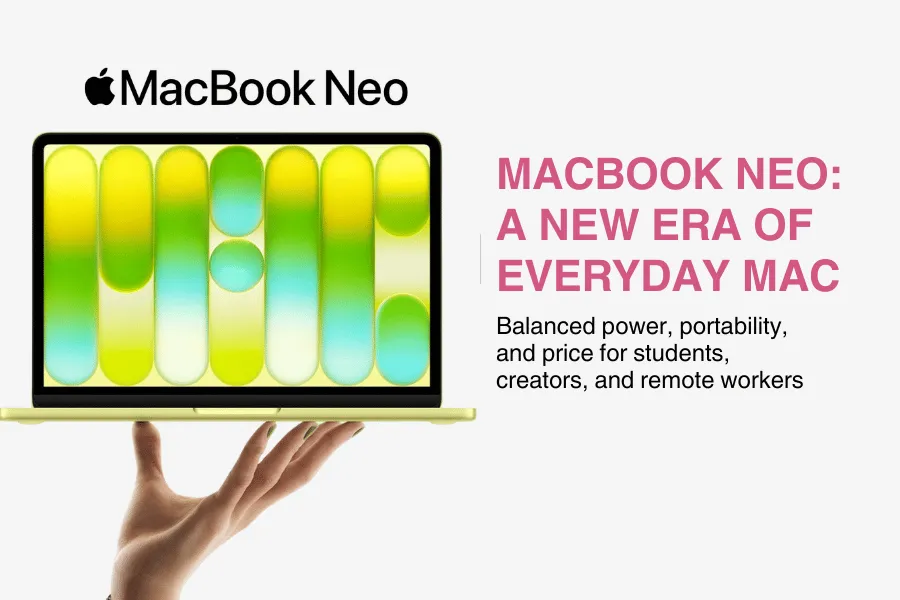
The MacBook NEO doesn’t just look like another laptop launch; it feels like Apple hitting the reset button on what an everyday Mac can be, and that’s why people are already calling its core MacBook NEO features a “new era” for budget‑friendly Apple computing. For the first time, Apple has taken technology that used to be reserved for premium devices and packaged it into a slim, colorful, fanless machine that’s actually within reach for a lot more people. If you’ve ever wanted the Mac experience without paying top‑tier prices, or if your old laptop is hanging on by a thread, the MacBook NEO immediately feels like a fresh, exciting option.
This blog is written for real people who use their laptops every single day: students juggling assignments and lectures, remote professionals jumping between video calls and documents, content creators editing photos or short videos, and everyday users across Austin and the rest of the USA who just want something fast, reliable, and enjoyable to use. Whether you’re working from a co‑working space downtown, studying in a campus library, creating content at home, or streaming your favorite shows on the couch, the MacBook NEO features are designed to fit into your life instead of forcing you to adapt to the machine, much like the other posts in my Tech & Smart Living section.
In this guide, you’ll get a clear, human‑friendly tour of what the MacBook NEO actually offers: its design and display, how its A18 Pro chip and Apple silicon architecture feel in real‑world use, and what its all‑day battery and fanless design mean when you’re on the go. We’ll break down the most important MacBook NEO features in everyday language, show how they translate into real benefits for work, study, and creativity, and then compare the NEO with other MacBook models so you can see where it fits in Apple’s lineup, much like I do in round‑ups such as my Best Leather Laptop Bags for Stylish and Practical Travel. By the end, you’ll know whether this new “entry” Mac is the right one for you, or if an Air‑type or Pro‑level MacBook would make more sense for your needs and budget.
What Is the MacBook NEO?

The MacBook NEO is Apple’s new entry‑level MacBook that sits just below the Air line, designed to bring the magic of macOS and modern Apple silicon to more people at a lower price while still offering a surprising amount of power and polish through its core MacBook NEO features. In simple terms, it’s a thin, light 13‑inch laptop with a colorful design, an A18 Pro chip, and a bright Liquid Retina display that’s built for everyday productivity, studying, and entertainment without the bulk or cost of a Pro model. If you’ve ever wanted a Mac that “just works” for daily life, email, browsing, documents, streaming, light editing, this is the slot the MacBook NEO fills in the MacBook family, especially if you’re drawn to practical tech like the ones I share in Tech & Smart Living.
Think of the NEO as the friendly all‑rounder in Apple’s lineup: more affordable than the Air, less intense than the Pro, but still loaded with MacBook NEO features that make it feel fast and modern. Its A18 Pro chip handles everyday apps, AI‑assisted tools, and even some creative workloads smoothly, while the fanless design keeps it quiet and comfortable on your lap. The 13‑inch Liquid Retina display supports 1 billion colors and 500 nits of brightness, so text looks sharp and movies, photos, and videos look vibrant and detailed.
Because of this balance, the ideal use‑cases for the MacBook NEO are broad:
- Work and remote jobs where you need reliability, video calls, and multitasking.
- Study and coursework, from note‑taking and research to presentations.
- Creative projects like photo tweaks, light video editing, and social media content.
- Entertainment and casual everyday use such as streaming, browsing, and managing personal files.
What makes these MacBook NEO features feel different from a generic laptop is the combination of Apple’s A18 Pro chip, tight hardware‑software integration with macOS, and built‑in Apple Intelligence tools that help with writing, organizing, and even cleaning up photos, all while delivering long battery life and quiet operation in a slim, colorful chassis. For a non‑techy user, that simply means the MacBook NEO feels smooth, responsive, and easy to live with, giving you many of the best parts of the Mac experience without the intimidating price or complexity of a high‑end Pro machine and it fits right into a balanced routine alongside the habits I share in my Lifestyle & Wellness posts.
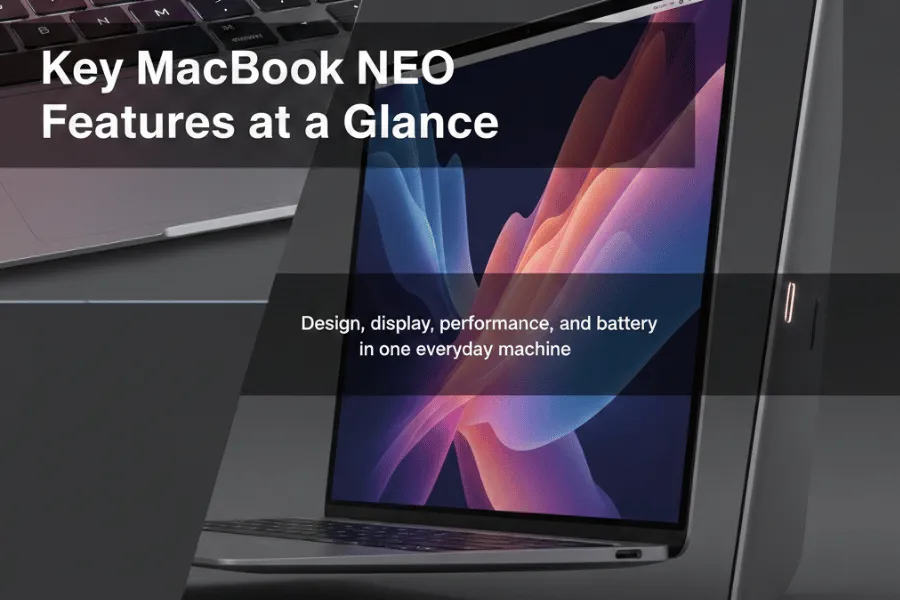
Key MacBook NEO Features at a Glance
Design and Build
- The MacBook NEO features a slim, lightweight 13‑inch body that’s easy to slip into a backpack or tote for daily commutes or campus life.
- Its clean aluminum design and modern color options give it a fresh, youthful look while still feeling sturdy enough for everyday use.
- Rounded edges, a comfortable palm rest area, and a low‑profile keyboard make long typing sessions feel more relaxed instead of cramped.
Display
- One of the standout MacBook NEO features is its sharp, bright display that makes text, photos, and videos look crisp and easy on the eyes.
- High brightness and strong color accuracy mean movies, Netflix sessions, and YouTube look vibrant, and photo or light video edits feel more precise.
- Wide viewing angles help when you’re sharing the screen with a friend or presenting something across a table, just like I consider shared experiences when writing about trends and tech in my Pop Culture & Trends posts.
Performance
- At the heart of the MacBook NEO features is a modern Apple silicon chip designed to keep everyday tasks smooth and responsive, which pairs well with simple productivity tweaks and automations I discuss in my AI & automation pieces.
- It handles typical multitasking, like having dozens of browser tabs, music streaming, chat apps, and documents open, without feeling sluggish.
- Light creative work, such as editing social media videos or photos, runs comfortably, making it a strong all‑rounder for students and working professionals.
Battery Life
- Another key part of the MacBook NEO features is its all‑day battery approach, aimed at getting you through work or classes without hunting for a charger.
- Students can expect to take notes, browse, and stream between lectures, while remote workers can handle calls and documents for hours on a single charge.
- Creators doing mixed work, like editing plus streaming, can still get a full day with sensible brightness settings and occasional breaks.
Overall, these core MacBook NEO features are built to give you a laptop that feels light in your bag, bright and comfortable on your eyes, fast enough for everyday work, and reliable enough to leave the charger at home for most of the day.
Everyday Experience: How It Feels to Use the MacBook NEO Every Day
Sitting down with the MacBook NEO for a full day of work or study, the first thing you notice is how many MacBook NEO features are designed around comfort and ease rather than just raw specs. The keyboard feels familiar and reassuring: the keys have enough travel to feel “clicky” and precise, but not so deep that you get tired during long typing sessions. You can draft essays, client reports, or long emails late into the night without feeling like you’re hammering on a noisy keyboard, because the key presses are quiet enough for libraries, classrooms, and shared offices. Over time, that mix of soft sound and satisfying feedback becomes one of the most underrated MacBook NEO features for writers, students, and anyone who spends hours in documents.
Right below it, the large glass trackpad is another place where everyday MacBook NEO features really show up. It tracks your finger movements accurately, so gestures like scrolling, zooming, switching desktops, and flicking between apps feel natural and smooth. Instead of constantly reaching for a mouse, you can comfortably use the trackpad all day for tasks like editing a document, scrubbing through a video timeline, or quickly navigating a busy browser with dozens of tabs. That responsiveness makes simple things, like dragging files into a folder, trimming a clip for social media, or selecting text in a PDF, feel quicker and less frustrating.
Portability is where many people feel the impact of the MacBook NEO features in their daily routine. The laptop is light enough that you can throw it in a backpack in Austin, hop on a bus, and move between a café, a co‑working space, and home without thinking about the weight. Walking across a campus, carrying it between classes, or commuting to an office in any city in the USA doesn’t feel like a workout. When you set it down on a small café table or a crowded lecture desk, the slim footprint means you still have room for a notebook, a coffee, or a textbook, just like the compact setups I often share in my Smart Home Accessories recommendations. That makes it easier to actually use the MacBook NEO wherever you are, instead of leaving it at home because it’s too bulky.
Another everyday win from the MacBook NEO features is how quietly it runs and how well it handles heat during long sessions. When you’re on a two‑hour Zoom call, working through spreadsheets, or editing a short video, it stays calm instead of blasting loud fans, so you can focus on your meeting or your project. The chassis gets warm but not uncomfortably hot, which matters if you like working with the laptop on your lap on the couch or in bed while streaming a show. You can move from writing an essay, to watching a lecture recording, to binge‑watching your favorite series at night, and the experience feels consistently smooth, cool, and unobtrusive. Put together, these MacBook NEO features make the laptop feel like something you can live with all day, not just a machine you power on for “serious” tasks.
MacBook NEO vs Other MacBooks

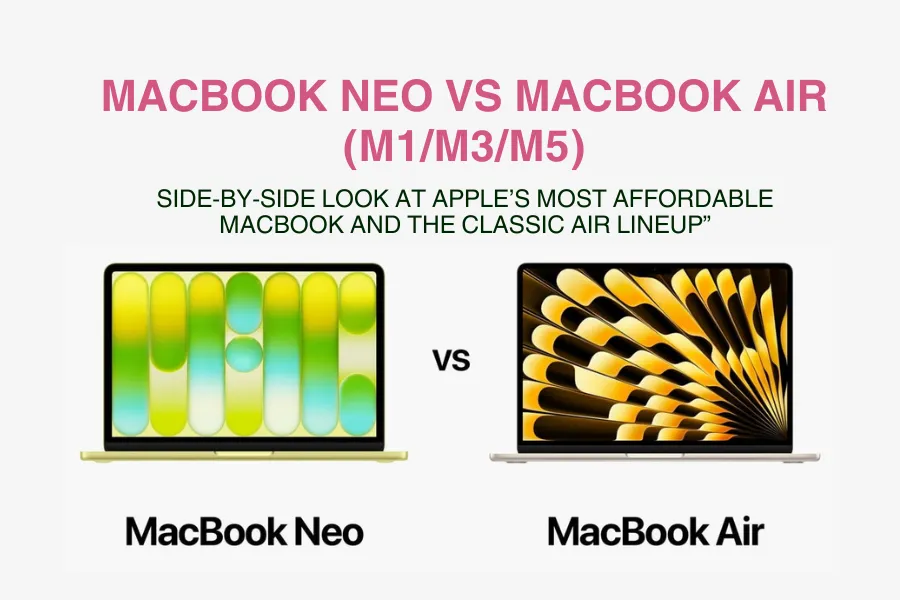
When you put the MacBook NEO next to other MacBooks, its biggest strength is balance: the MacBook NEO features are designed to sit between ultra‑portable “Air‑type” machines and more serious “Pro‑type” powerhouses, as you can see in Apple’s own Mac comparison page. The idea is simple, give you enough performance for real work and creativity, in a body that’s still light and affordable enough for everyday users.
MacBook NEO vs “Air‑type” MacBook
Air‑type models are usually the lightest, thinnest options in the lineup, meant for people who care most about portability and long battery life. They tend to be a bit more expensive than the NEO, because they’re positioned as a premium thin‑and‑light machine. The MacBook NEO features often include slightly less premium materials or fewer “extras,” but it still stays slim and light enough to carry everywhere.
If you’re a student walking across campus all day, or someone who mostly browses, writes, and streams, an Air‑type model gives you maximum portability and a very polished feel. However, the MacBook NEO can be a better fit if:
- You want a lower starting price but still want modern Apple silicon.
- You care more about value than having the absolute thinnest machine.
- You like the idea of a simple, capable laptop that you won’t baby.
In short, the MacBook NEO features make it the more budget‑friendly everyday choice, while the Air‑type leans into premium portability.
MacBook NEO vs “Pro‑type” MacBook
Pro‑type MacBooks are built for people who push their machines hard: developers, 3D artists, heavy video editors, and others who regularly run demanding apps. They usually have stronger chips, more ports, better cooling, and sometimes brighter or more advanced displays. That comes with trade‑offs: more weight, more cost, and features most casual users will never fully tap into.
This is where the MacBook NEO features find a sweet spot. For day‑to‑day work, browsing, Office/Google Workspace, Zoom, email, light photo and video editing, the NEO is typically more than enough. It’s quieter, lighter, and easier to carry, and it doesn’t feel overkill for tasks like writing essays, managing a business, or running a YouTube channel with light editing.
You might truly need a Pro‑type model if:
- You work with large 4K/8K video projects or complex 3D renders.
- You regularly plug in multiple external displays and fast external drives.
- You want the absolute maximum performance and don’t mind paying more.
For everyone else, the balance of MacBook NEO features, solid performance, good display, good battery, and friendlier pricing, usually hits that “just right” middle ground.
Simple Comparison Table
Below is a simple, text‑based table you can adapt into your blog:
| Model | Who It’s For | Key Strengths | Price Range (relative) | Highlighted MacBook NEO Features |
|---|---|---|---|---|
| MacBook NEO | Students, remote workers, everyday users | Balanced performance, good battery, value | Lowest / entry level | Everyday-ready MacBook NEO features at a friendly price |
| MacBook Air-type | Frequent travelers, ultra-mobility seekers | Thinnest, lightest, very long battery | Mid-range | More premium portability than NEO |
| MacBook Pro-type | Power users, pros, heavy creative workloads | Maximum performance, advanced displays | Highest | Extra power and pro features beyond NEO |
This kind of comparison makes it clear how the MacBook NEO features give you a practical middle option: more capable than the cheapest basic laptops, simpler and more affordable than the full Pro machines, and still portable enough to live in your bag every day.
Who Should Consider Buying the MacBook NEO

The MacBook NEO features are designed to suit a wide range of people, but it’s especially well‑suited to a few specific types of users. Thinking about how you actually use your laptop day‑to‑day will help you see if it fits you or if another MacBook makes more sense.
Remote workers and professionals
If you work from home, cafés, or co‑working spaces, the MacBook NEO is a strong fit. The key MacBook NEO features here are its reliable performance for video calls, documents, and multitasking, along with all‑day battery life so you’re not stuck near a plug. Its lightweight design makes it easy to move between rooms or locations, and the comfortable keyboard and bright display help during long hours in tools like email, spreadsheets, and project management apps.
Students
Students who need a laptop for classes, assignments, research, and light creative work will likely find the MacBook NEO features hit a sweet spot. It’s portable enough to carry around campus, powerful enough to handle multiple tabs, notes, and apps at once, and the battery can usually last through lectures and study sessions. For most school work and some casual editing or design, the NEO gives a good balance of performance and price without going into “Pro” territory.
Content creators (photo, video, design)
If you create content, editing photos, short videos, or social media graphics, the MacBook NEO features give you solid performance without jumping to a high‑end Pro model. The good‑quality display helps you see colors and details clearly, and the chip is strong enough for light to moderate editing in common apps. This makes it ideal for YouTubers starting out, Instagram creators, or freelancers doing lighter creative work. If you regularly work with huge 4K projects or complex 3D scenes, though, a Pro‑level MacBook will serve you better. For creators, you can also pair it with accessories like the ones I cover in my XREAL Air AR Glasses Accessories Guide to build a more immersive setup.
Everyday home users
For families and everyday home users, the MacBook NEO features offer a future‑proof, easy‑to‑use laptop for browsing, streaming, managing photos, and basic office tasks. It starts up quickly, stays responsive over time, and its battery and portability mean you can use it on the couch, at the kitchen table, or while traveling. If you want something that will stay smooth for several years without being overly expensive, the NEO is a strong candidate.
When the MacBook NEO might be too much or not enough
The MacBook NEO might be too much if you only check email, pay bills, and occasionally browse the web, a cheaper tablet or very basic laptop could be enough. It might be not enough if you’re a heavy professional video editor, 3D artist, or developer running very demanding workloads all day; in that case, a MacBook Pro‑type model with more power and advanced features is a better fit. For everyone in between, the balanced MacBook NEO features usually deliver exactly what you need without overpaying for performance you’ll never use.
Things to Consider Before Buying the MacBook NEO
Before you hit “buy,” it helps to think through a few practical points so you get the most from the MacBook NEO features and don’t overspend on things you won’t use.
Storage: How Much Do You Really Need?
Think about what will live on your laptop, not in the cloud.
- If you mainly store documents, notes, and a few photos, a lower storage option is usually fine.
- If you keep a large photo library, offline movies, or lots of apps, go for a mid‑tier storage option.
- If you edit videos, handle large design files, or hate deleting things, choose higher storage so the MacBook NEO features stay snappy and you’re not constantly juggling space.
More storage helps with long‑term comfort and keeps performance smooth as the drive fills up.
RAM: Multitasking and Future‑Proofing
RAM affects how many things you can do at once without slowdowns.
- Light use (browsing, email, docs): base RAM is usually enough.
- Regular multitasking (dozens of tabs, office apps, music, chat apps): consider a bump in RAM.
- Creative work (photo/video editing, design tools): more RAM is worth it so the MacBook NEO features feel fast for longer.
You can’t upgrade RAM later on most Macs, so get what you’ll need for the next few years, not just today.
Accessories and Compatibility
Check how the MacBook NEO features match what you already own.
- Look at the ports: will you need adapters for USB‑A drives, SD cards, or HDMI monitors?
- If you already have a USB‑C charger, it may work; if not, factor in the cost of an extra charger for travel or office.
- If you plan to use external displays, confirm how many the MacBook NEO can support and what cables or docks you’ll need.
Planning this up front prevents surprise spending on dongles and hubs later.
Budget and Timing Your Purchase
Smart timing can make the MacBook NEO features feel like an even better deal.
- Decide your must‑haves first (RAM and storage) and build from there; don’t pay extra for things you’ll never use.
- Compare the base model to a slightly upgraded configuration, sometimes a small bump in price greatly improves longevity.
- Watch for seasonal offers: back‑to‑school, Black Friday, holiday sales, and student discounts in the USA can cut the price or add gift cards/accessories.
By thinking through storage, RAM, accessories, and timing, you make sure you’re choosing the MacBook NEO features that match your real life, and avoiding extras that just inflate the price.
Final Thoughts on the MacBook NEO
The MacBook NEO arrives at a perfect moment for anyone who wants a modern Mac without stepping all the way into premium pricing or pro‑level complexity. Its balanced MacBook NEO features, lightweight design, strong everyday performance, bright display, and all‑day battery life, make it feel like a laptop built for real life, not just spec sheets. For many people, it offers that “just right” mix of power, portability, and price that’s hard to find in other machines.
In simple terms, the MacBook NEO will shine for:
- Students and remote workers who need a reliable, portable laptop that can handle classes, meetings, and multitasking without drama.
- Content creators and side‑hustlers who want a capable machine for photo editing, social media content, and light video work without paying Pro‑level prices.
- Everyday home users who want a future‑proof laptop for browsing, streaming, and family tasks that will still feel smooth a few years from now.
From here, the next step is to make the MacBook NEO truly yours with the right accessories. In part two of this guide, we’ll dive into the best add‑ons for the NEO, protective cases, USB‑C hubs and docks, ergonomic stands, external monitors, keyboards, and more, so you can build a setup that fits your desk, bag, and budget. When that accessories guide goes live, be sure to check it out if you’re ready to turn a good laptop into a complete, comfortable workspace.
Until then, I’d love to hear from you: which MacBook NEO features are you most excited about, and how do you see yourself using it, studying, building a business, creating content, or just simplifying everyday life? Share your thoughts, questions, or future use‑cases in the comments so this guide can keep evolving around what real users actually need.