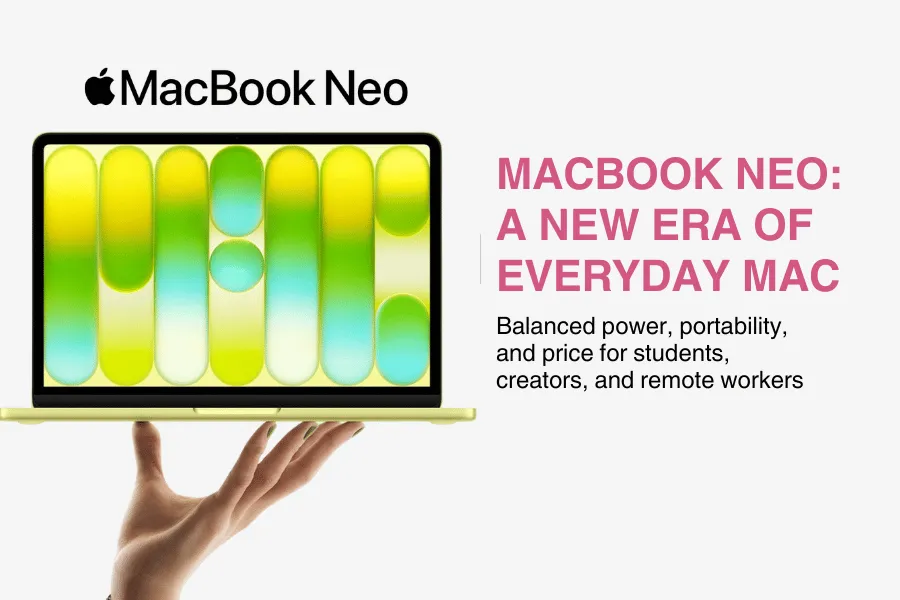


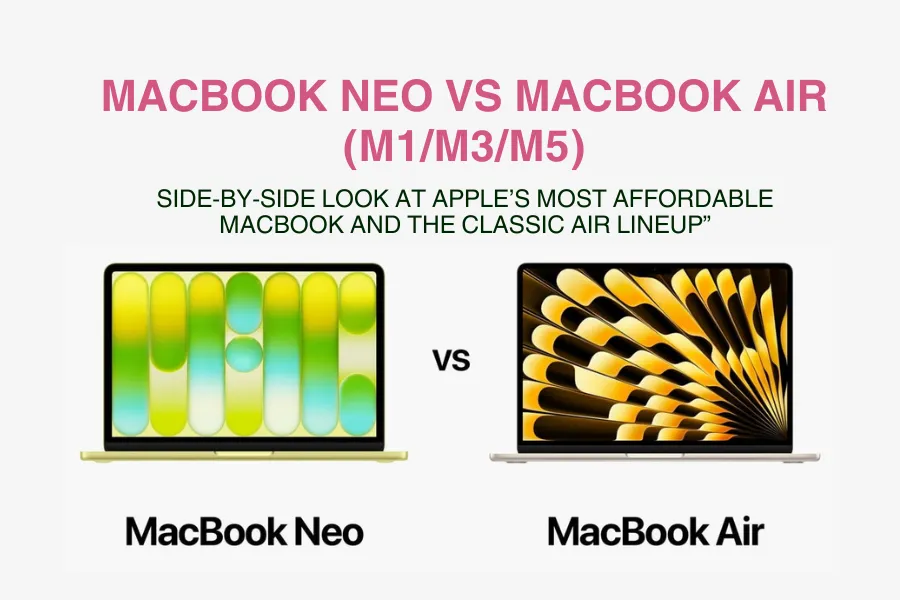
When you look at the MacBook Neo vs MacBook Air debate, it’s easy to feel stuck. Both are slim, modern MacBooks with great battery life and clean designs, but they’re built with slightly different users in mind. The MacBook Neo is Apple’s newest, most affordable MacBook, created to give more people an accessible way into the Mac ecosystem without jumping straight into premium pricing. The MacBook Air line, on the other hand, has been the go‑to thin‑and‑light option for years, and now spans multiple chip generations with the M1, M3, and M5.
If you’re a student, remote worker, content creator, or everyday user, this is exactly the kind of choice you might be facing right now. Maybe you’re wondering whether the Neo is “enough” for your classes and Zoom calls, or whether an Air with a newer chip will feel smoother for editing videos or juggling dozens of browser tabs. You might also be asking yourself how long each model will last before it feels slow, and whether it’s really worth paying more today for performance you might only need later.
This guide will walk you through those questions step by step. We’ll compare MacBook Neo vs MacBook Air (M1, M3, and M5) on the things that actually matter in daily use: price, performance, display quality, portability, battery life, and ports. Instead of drowning you in technical specs, we’ll translate those differences into real‑world scenarios—like college work, remote jobs, creative side‑hustles, and and travel with your laptop.
By the end, you’ll have a clear picture of what each model does best and, more importantly, which one fits your budget, workload, and future plans. We’ll finish with a simple “who should buy what” breakdown so you can stop over‑researching and confidently pick the MacBook that makes the most sense for you.
Quick Specs & Price Overview
When you compare the MacBook Neo vs MacBook Air (M1/M3/M5), you’re not looking at “good vs bad” laptops, each one is powerful enough for everyday work, but they’re tuned for different needs and budgets. The Neo aims to be the most affordable way to get a modern Mac, while the Air lineup gives you more performance and configuration options as you move up from M1 to M5.
Here’s a simple snapshot of how they line up on paper:
| Model | Chip | RAM Options | Storage Options | Display | Ports | Starting Price |
|---|---|---|---|---|---|---|
| MacBook Neo | A-series (A18-class) | 8 GB → 8 GB only | 256 GB → 512 GB | 13″ Liquid Retina, bright enough for everyday use | 2 × USB-C (one used for charging) | Lowest / entry-level |
| MacBook Air M1 | M1 | 8 GB → 16 GB | 256 GB → 512 GB / 1 TB | 13.3″ Retina, good brightness | 2 × USB-C/Thunderbolt | Budget, often discounted |
| MacBook Air M3 | M3 | 8 GB → 16 GB / 24 GB | 256 GB → 512 GB / 1 TB | 13.6″ Liquid Retina, brighter | 2 × USB-C/Thunderbolt + MagSafe (newer design) | Mid-range / sweet spot |
| MacBook Air M5 | M5 | 8 GB → 16 GB / 24–32 GB | 256 GB → 512 GB / 1–2 TB | 13.6″+, very bright and color-rich | Multiple USB-C/Thunderbolt + MagSafe | Highest / premium thin-and-light |
*Brightness is described in everyday terms rather than exact nit values.
Price ranges are relative: Neo is the cheapest, Air M5 the most expensive.
At a glance, the MacBook Neo stands out as the cheapest, simplest option with a single basic configuration, while the MacBook Air family (especially M3 and M5) offers more power, more RAM and storage choices, and nicer screens for people who are willing to spend more and want a laptop that can handle heavier work for longer.
Design, Size, and Portability
On the design front, the MacBook Neo feels fun, modern, and approachable. It keeps Apple’s familiar aluminium body but adds softer, rounded corners and a lineup of playful colors like blush, indigo, citrus, and silver, making it the most colorful MacBook yet. At around 1.23 kg (2.7 lb) with a fanless, completely silent build, the 13‑inch Neo is easy to slip into a backpack or tote and forget about until you need it. The overall feel is light, friendly, and practical rather than ultra‑luxury.
The MacBook Air family leans a bit more into that classic premium vibe. The older M1 Air uses the iconic wedge design, while the newer M3 and M5 Air models switch to a flatter, more modern shape with super‑thin profiles and size options at 13 and 15 inches. They’re also made from a sturdy aluminium unibody and come in elegant colors like midnight, starlight, space grey, and silver, which look and feel slightly more high‑end in the hand. Despite this, the weights stay very similar to the Neo, around 1.23–1.29 kg for the 13‑inch versions, so none of these laptops feel “heavy” in day‑to‑day use.
In real life, the differences show up more in how they fit your routine than in raw numbers. All of them are thin enough to slide into a slim backpack sleeve and light enough to carry across campus or through an airport without a second thought. A student walking between classes will hardly notice the difference in weight between a 13‑inch Neo and a 13‑inch Air; a digital nomad might prefer the 15‑inch Air for extra screen space when parked at a café, while still staying under that “too big to carry” threshold.
Put simply, the MacBook Neo is lighter on the wallet while still looking and feeling like a real MacBook. The MacBook Air lineup, especially the newer M3 and M5 models, feels slightly more premium in hand thanks to its refined design language, size options, and classic color palette. If you care most about personality and price, Neo wins; if you want the thinnest, most polished MacBook look with more size choices, the Air still has the edge.
Display and Everyday Experience

On the MacBook Neo, you get a 13‑inch Liquid Retina display that’s bright, sharp, and colorful enough for pretty much anything a typical user does. Text in documents and web pages looks crisp, photos and icons pop nicely, and streaming Netflix or YouTube in a dim room or bright café feels natural without constantly hunting for the brightness keys. For everyday browsing, writing, lectures, and casual video watching, the Neo’s screen simply feels “modern Mac” rather than “budget laptop.”
The MacBook Air line offers a similar but slightly more flexible story. The older M1 Air has a 13.3‑inch Retina display that’s a bit less bright but still very clear for text and media. The newer M3 and M5 Air models step up to 13.6‑inch and 15.3‑inch Liquid Retina displays, with a small notch at the top on the newer designs and higher brightness plus support for a wider color range. In simple terms, that means more room for toolbars and timelines, and a screen that stays easier to see in bright environments.
In day‑to‑day use, those differences matter most for how much you have on screen at once and how visuals look if you care about detail. Reading and note‑taking will feel great on all of them, but a 15‑inch Air gives you more comfortable side‑by‑side windows for research and writing. For streaming, all of these displays deliver sharp, enjoyable video, with the M3/M5 Air’s extra brightness helping when you’re near a window or working outdoors.
If you dabble in photo editing, design, or video, the MacBook Neo’s screen is absolutely fine for light creative work and social content. However, the MacBook Air M3 and M5 have a slight edge for creatives who care more about color accuracy, brightness, and screen size, especially on the 15‑inch models where your timeline and tools feel less cramped. If your work is mostly documents and streaming, Neo is enough; if visuals are your job or passion, the newer Air screens are a more comfortable long‑term choice.
Performance: A18 Pro vs M1/M3/M5

When you compare performance in the MacBook Neo vs MacBook Air lineup, it helps to think less about raw numbers and more about the kind of work you actually do. The MacBook Neo uses Apple’s A18 Pro chip, which started life as an iPhone‑class processor but has been tuned for Mac use. In practice, that means it feels very quick for light to medium tasks, opening apps, switching between browser tabs, handling office work, and running new AI‑powered features in macOS, without sounding like a jet engine or draining the battery too fast.
The MacBook Air M1 is older but still a solid worker for many people. It was the first chip that made Apple Silicon MacBooks feel snappy and efficient, and today it still handles browsing, email, office apps, Zoom calls, and basic creative work without drama. If your workload is mostly documents, web apps, and occasional light photo edits, an M1 Air is still “fast enough” for everyday life.
Moving up to the MacBook Air M3, you get a noticeable bump in CPU and GPU strength. This shows up when you have many apps open at once, lots of browser tabs going, or when you’re doing more serious creative tasks like editing a bunch of RAW photos, cutting 1080p or light 4K video for YouTube, or running heavier productivity tools. Animations feel smoother, exports finish faster, and the laptop generally feels less strained when you push it.
The MacBook Air M5 sits at the top of this group and offers the most performance headroom. It’s the best fit if you regularly work with large 4K timelines, more complex visual effects, 3D scenes, or big coding projects in tools like Xcode or Visual Studio Code with lots of extensions. You’ll notice the difference when rendering, exporting, or compiling—jobs that might take several minutes on Neo or M1 can finish notably quicker on an M5 Air, and the machine will stay comfortable doing that day after day.
So which chip is “good enough”? For typical users—students, remote workers, and most everyday buyers—the MacBook Neo’s A18 Pro and the MacBook Air M1 both deliver more than enough speed for browsing, office apps, note‑taking, and light creative work. Pay more for an M3 if you multitask heavily or want a smoother experience in photo/video apps, and go for the M5 only if you know you’ll regularly push your laptop with heavier creative or development workloads and want maximum long‑term headroom.
RAM, Storage, and Upgradability

One of the biggest practical differences in the MacBook Neo vs MacBook Air decision is how much control you have over RAM and storage. The MacBook Neo is very simple: it comes with 8GB of unified memory and typically 256GB or 512GB of internal storage, and you cannot upgrade either later. That means the configuration you choose on day one is what you’ll live with for the entire life of the laptop.
The MacBook Air models (M1, M3, M5) give you more room to grow. You’ll usually see 8GB as the base, but you can pay extra to step up to 16GB, 24GB, or even 32GB of RAM depending on the chip generation, along with larger SSD options that can go well beyond 512GB. This flexibility makes the Air line better suited to people who multitask heavily, keep lots of apps open, or work with large files.
In simple terms:
8GB RAM + 256/512GB storage is fine if you
- Mostly browse the web, write documents, use email, and attend Zoom calls.
- Are a student doing notes, research, and light school projects.
- Do simple content creation (basic photo tweaks, light Canva/short‑form video).
16GB RAM or more and a larger SSD are worth it if you
- Keep dozens of browser tabs and several heavy apps open at once.
- Edit lots of photos, longer videos, or work with big design files.
- Write code in large projects or use pro tools (music, 3D, data work).
A good way to think about it is by persona. A casual university student using Google Docs, streaming, and some light editing can be perfectly happy with the MacBook Neo’s 8GB RAM and 256/512GB storage if they also lean on cloud storage. A freelance video editor, on the other hand, will be much better served by a MacBook Air M3 or M5 with at least 16GB RAM and a larger SSD, so projects load faster and there’s room for media. In all cases, the golden rule is simple: buy what you’ll need for the next few years now, because you can’t upgrade RAM or internal storage later on either Neo or Air.
Battery Life, Ports, and Connectivity
On battery life, both the MacBook Neo and MacBook Air aim for “all‑day” use, but they don’t behave identically. The Neo should comfortably get you through a full day of light work—browsing, writing, note‑taking, and streaming—without hunting for a charger, as long as you’re not constantly pushing heavy apps. With more demanding workloads like long video calls, big downloads, or bursts of creative work, you’re more likely to see its battery dip faster than on the latest Air models.
The MacBook Air M1, M3, and M5 have built their reputation on excellent battery life for everyday tasks. For light workloads—Google Docs, PDFs, Slack, email, and video streaming—you can often stretch a full work or school day and still have some charge left. Newer chips (M3 and M5) are also tuned for efficiency, so they handle bursts of heavier tasks without killing the battery as quickly, especially when you mix in a lot of idle time or background work.
Ports and wireless are where the Neo feels more limited. It typically gives you two USB‑C ports, with one often shared with charging and the other not as full‑featured as the ports on an Air, which can matter if you plug in fast storage or a high‑resolution display. In real life, this means you may need a USB‑C hub or dock sooner: plug in power, a display, and a drive, and you’ve already used both ports.
By contrast, MacBook Air models offer more capable USB‑C/Thunderbolt ports, and the newer generations add MagSafe charging plus improved Wi‑Fi. MagSafe frees up a USB‑C port for accessories while reducing the risk of dragging your laptop off the table if someone trips on the cable. On the latest Air (like the M5), faster wireless standards (such as Wi‑Fi 7) help with more stable, higher‑speed connections on supported routers, which is handy for big cloud syncs, video calls, and streaming.
What this means for you:
- If you mostly plug in one external display and a simple USB‑C hub for keyboard, mouse, and occasional storage, the Neo can work fine with a good all‑in‑one hub.
- If you plan a fuller desk setup—multiple displays, fast external SSDs, card readers, audio gear— the Air’s stronger ports, MagSafe, and better Wi‑Fi give you more breathing room and fewer compromises.
In short, the Neo is okay for a simple, mostly‑on‑the‑go setup with one hub; the Air line, especially newer M3/M5 models, is better if you care about maximum battery stamina under load and a more flexible, future‑proof desk setup with several accessories.
Price and Value for Money

In broad strokes, the MacBook Neo sits at the bottom of Apple’s laptop pricing ladder, with a much lower starting price than any current MacBook Air. The Air M1, where it’s still sold or discounted through third‑party retailers, usually costs more than a Neo but less than the newest Air models, making it a popular “cheap but still fast” option. The MacBook Air M3 then moves you into a mid‑range price band, while the latest Air M5 sits clearly in premium territory, starting roughly around double the Neo’s sticker price in markets like India.
Each model offers its own kind of value once you match price to what you actually do. The Neo gives the best value if you’re on a tight budget, buying your first Mac, or mainly doing light work like browsing, streaming, and documents—it lets you into the macOS world for far less money. The Air M1 is great value for bargain hunters who can find it on sale; you spend more than on a Neo, but you get full “MacBook Air” performance and features that still feel modern for everyday use. The Air M3 often becomes the sweet spot: more expensive than Neo/M1, but with noticeably better performance and newer design, making it a smart pick for students and professionals who want a machine that will stay fast for years. The Air M5 is the priciest, but it bundles top‑tier performance, better connectivity, and more storage by default, which pays off if you run heavier apps and plan to keep the laptop for a long time.
Budget + use case → Recommended model
| Budget / Use Case | Recommended Model |
|---|---|
| Very tight budget, first-time Mac, light use (browsing, notes, streaming) | MacBook Neo |
| Value buyer, wants “real MacBook Air” feel and finds deals | MacBook Air M1 |
| Student or professional, mixed work + light creative, wants longevity | MacBook Air M3 |
| Heavy creative or dev work, wants to keep laptop many years | MacBook Air M5 |
For most people, the best balance of price, performance, and future‑proofing will sit between the MacBook Neo and the MacBook Air M3: choose the Neo if budget is your top concern and your work is light, or stretch to the Air M3 if you can, since it gives you more power and runway for the next several years without jumping all the way to M5 pricing.
Who Should Buy What? (Neo vs Air M1/M3/M5)
Choose MacBook Neo if
- You’re on a strict budget and just want the most affordable way into the Mac ecosystem.
- You’re a student or remote worker with light workloads and mostly web‑based tools.
- You mainly browse, write documents, handle email, join video calls, and do only light photo or video editing for class or social media.
Choose MacBook Air M1 if
- You find it at a good discount from an official or trusted retailer.
- You want better long‑term performance than the Neo but don’t care about having the latest design or chip.
- You prefer a “classic Air” that’s still fast enough for everyday work and occasional creative tasks.
Choose MacBook Air M3 if
- You want a modern, powerful laptop for mixed workloads—office apps, lots of tabs, and moderate creative work like photo editing or casual YouTube creation.
- You value extra performance and smoother multitasking, but don’t need all the headroom (and cost) of the M5.
- You’re a student or professional planning to keep the laptop for several years and want it to stay snappy over time.
Choose MacBook Air M5 if
- You’re a creator, developer, or power user who regularly edits video, works with large design files, or compiles big projects.
- You want maximum performance, RAM, storage options, and longevity in a thin‑and‑light Mac.
- You’re willing to pay more now so your laptop comfortably handles heavier apps and workflows for many years.
Simple Comparison Table (At a Glance)
Here’s a quick at‑a‑glance summary of how the MacBook Neo and MacBook Air models stack up.
| Model | Best for | Pros | Cons | Starting Price (relative) |
|---|---|---|---|---|
| MacBook Neo | Tight budgets, first-time Mac buyers, light users | Lowest price, good everyday performance, very portable | Fixed 8GB RAM, fewer ports, less headroom for heavy work | Lowest (entry-level Mac laptop) |
| MacBook Air M1 | Bargain hunters who find good discounts | Strong everyday performance, proven reliability | Older design/chip, fewer years of top-tier software runway | Low–mid (often discounted) |
| MacBook Air M3 | Students/pros with mixed work and light–moderate creation | Great balance of power and efficiency, modern design | Costs more than Neo/M1, mid-range storage at base | Mid (mainstream MacBook Air tier) |
| MacBook Air M5 | Creators, developers, long-term power users | Highest performance, best connectivity, most RAM/storage options | Highest price, overkill for light workloads | Highest (premium MacBook Air tier) |
For most people, the real choice is between the Neo and the Air M3: the Neo is the budget‑friendly entry point, while the M3 hits the sweet spot of power, battery life, and longevity. The Air M5 is the power pick for creators and developers, and the Air M1 remains a smart buy only when you can grab it at a meaningful discount.
Final Thoughts
At the end of the day, MacBook Neo vs MacBook Air comes down to what you value most. The MacBook Neo is all about accessibility and affordability, giving you a genuinely good Mac experience at a much lower entry price. The MacBook Air line, especially the M3 and M5 models, adds more performance, better screens, and greater flexibility for people who push their laptops harder or plan to keep them for many years.
When deciding, focus on how you actually use your laptop: light vs heavy workloads, your budget, and how long you expect the machine to last before you want to upgrade. If your days are mostly browsing, documents, email, classes, and light content creation, the Neo (or a discounted Air M1) will likely serve you very well. If you mix in more serious photo/video editing, coding, or creative work and want a machine that still feels fast three to five years from now, the Air M3 is the most sensible default, with the Air M5 reserved for creators and power users who know they’ll use the extra muscle.
If you’re leaning toward the Neo and want to understand it better, your next stops should be our dedicated MacBook Neo features guide and MacBook Neo accessories guide. They’ll help you get the most out of whichever Neo or Air you finally choose.