

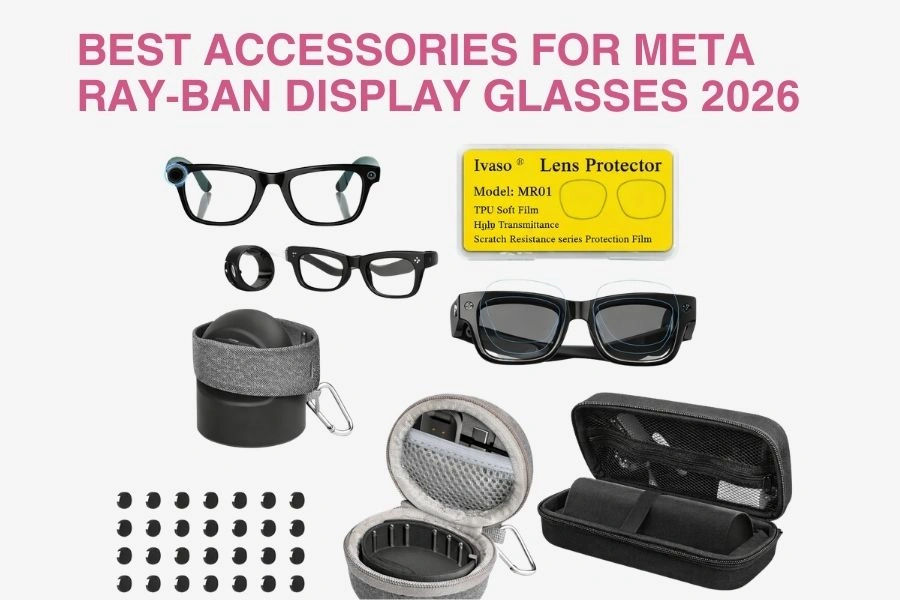
Meta Ray‑Ban Display glasses are part of a new wave of everyday AI eyewear, giving you a full‑color display directly in the lens for heads‑up access to messages, navigation, captions, and AI responses. Unlike older “smart glasses” that focused mainly on audio and cameras, these are truly display‑centric, which means the right accessories can make a huge difference in visibility, comfort, and long‑term durability.
This 2026 guide focuses on display‑focused accessories that help you see the screen more clearly, wear the glasses comfortably for longer, and protect your investment. All recommended accessory types are available on Amazon, so you can mix and match to build your ideal setup, and you can explore more tech and lifestyle guides anytime on MeghaMehta.com.
I. Why You Need Display Accessories for Meta Ray‑Ban Display Glasses
Meta Ray‑Ban Display glasses are designed to be worn in real‑world conditions, bright sun, offices, cafés, commutes, and travel. Accessories help you handle all of that more smoothly.
-
Visibility
- Reduce glare and reflections so the in-lens display stays readable in sunlight or harsh indoor lighting.
- Keep the lens surface clearer and less smudged, so text, icons, and maps remain sharp.
-
Comfort & Fit
- Stabilize the glasses during walking, commuting, and long work sessions so they don’t slip down your nose.
- Customize fit with straps and nose pads, especially if you wear them for hours every day.
-
Protection
- Shield the lenses and display components from scratches, dust, and small impacts.
- Use cases and sleeves to avoid damage when the glasses are in bags, on desks, or packed for travel.
-
Power & Workflow
- Keep everything powered with convenient charging cables, docks, and stands.
- Set up a clean workspace where your glasses and Neural Band always have a place to charge and rest.
With just a few smart accessories, your Meta Ray‑Ban Display glasses feel less like fragile tech, and more like a reliable daily tool.
II. How to Choose the Right Display Accessories
Before you add anything to your cart, it helps to think through compatibility and how you actually use your glasses.
-
Model & Fit
- Check that the accessory is explicitly compatible with Meta Ray-Ban Display frames and the exact style (e.g., Standard, Wayfarer-style frame, hinge style, bridge size).
- For straps, clips, and cases, confirm they’re sized for the Display frame dimensions so they don’t squeeze, warp, or leave the glasses loose.
-
Use Case
- Outdoor display clarity: Look for clip-on shades, matte or anti-glare lens protectors, and side shields that reduce stray light.
- Desk and productivity: Prioritize stands, docks, and stable charging setups you can use while working.
- Travel and EDC (everyday carry): Choose rugged hard cases, slim sleeves, and compact organizers or wristlets.
-
Materials & Weight
- Lightweight, non-scratching plastics, silicone, and fabrics that won’t mark the frame or lenses.
- UV-blocking and heat-resistant where possible, especially for outdoor or car use.
- Avoid heavy or stiff accessories that create pressure points on your nose or ears.
-
Attachment Method
- Clip-on, magnetic, or slip-on designs should:
- Not block cameras, microphones, speakers, or the display region in the lens.
- Be easy to attach/remove without touching the screen area.
-
Portability & Storage
- Foldable, compact accessories that fit in your existing case, bag, or jacket pocket.
- If you move between home, office, and travel often, look for kits or multi-pocket organizers that keep everything together.
III. Best Display Accessories for Meta Ray‑Ban Display Glasses on Amazon (2026)
Use this section as your shopping checklist. You can link each item type to your chosen Amazon product.
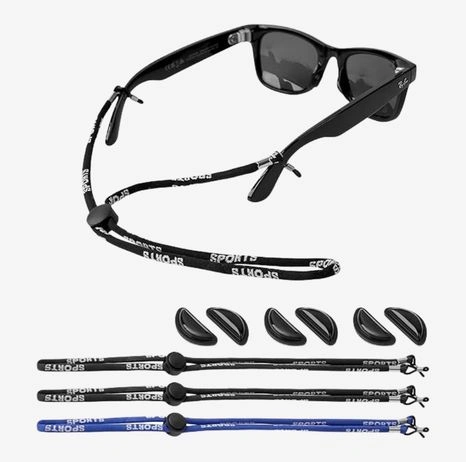
Adjustable Sport Strap or Retainer for Ray‑Ban Display Glasses
Read More
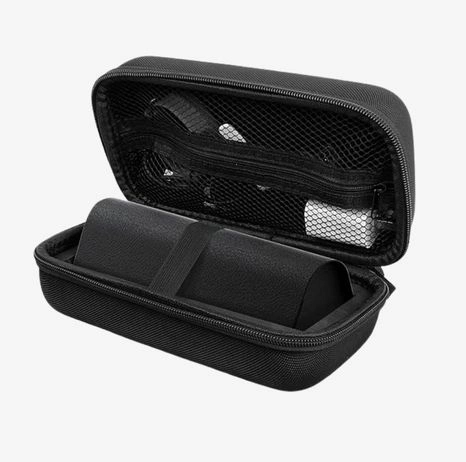
Hard Shell Carry Case for Ray‑Ban Display Glasses
Read More
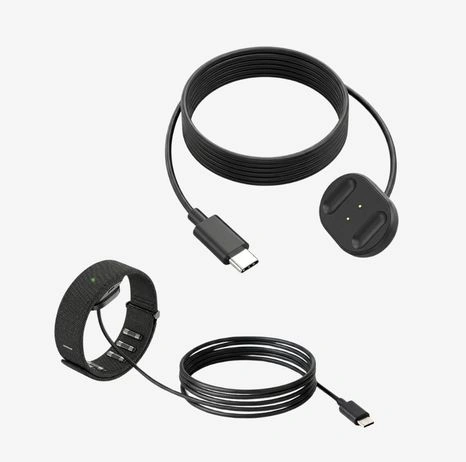
Magnetic USB‑C Charging Cable / Dock
Read More
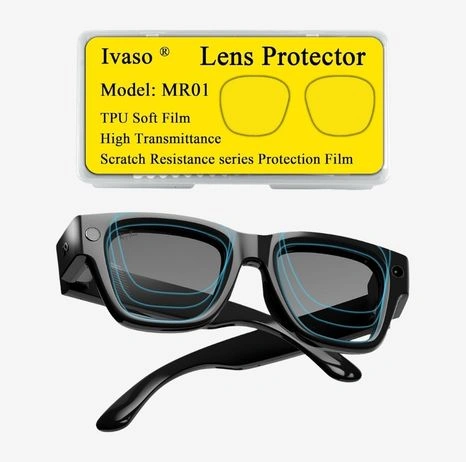
Lens Protector for Meta Ray‑Ban Display AI Glasses (3 Pairs)
Read More
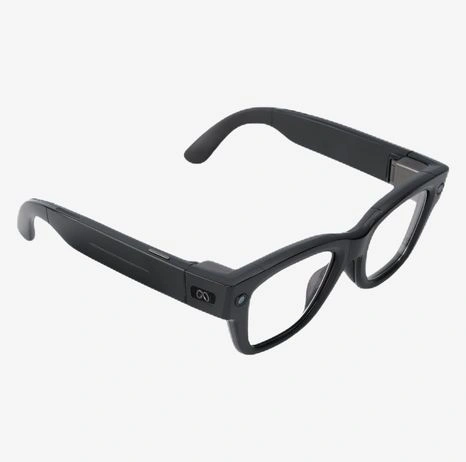
HiBloks Matte Frame Stickers & Felt Sheet Liner Set
Read More
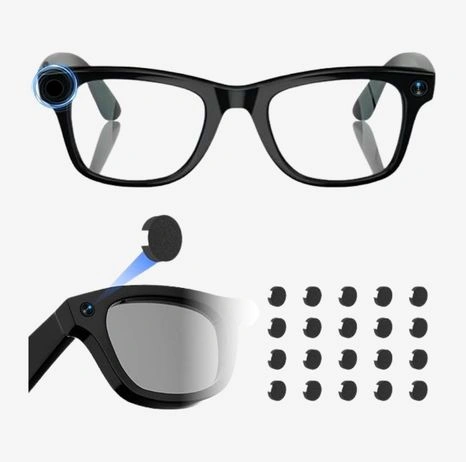
LED Light‑Blocking Privacy Stickers (20‑Pack)
Read More
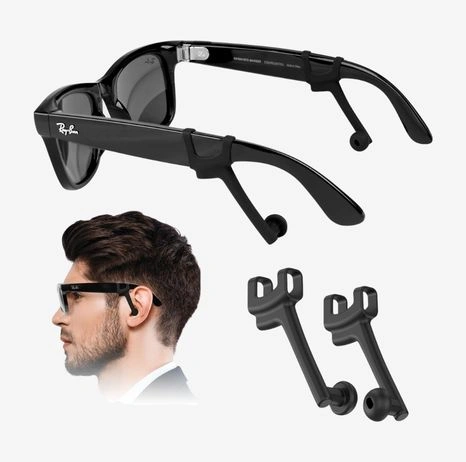
Increase Privacy Ear Tips / Sound Booster Tube
Read More

Silicone Desktop Charging Stand for Neural Band
Read More
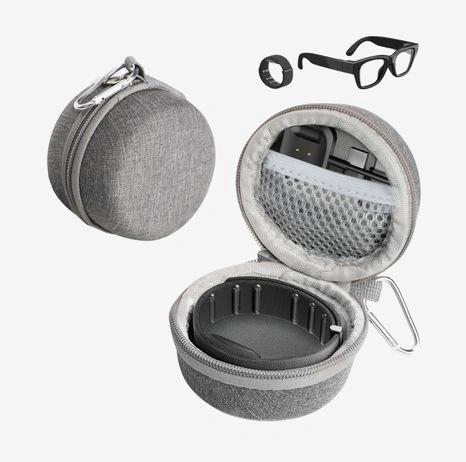
Wristlet Case for Meta Ray‑Ban Display Neural Band
Read More
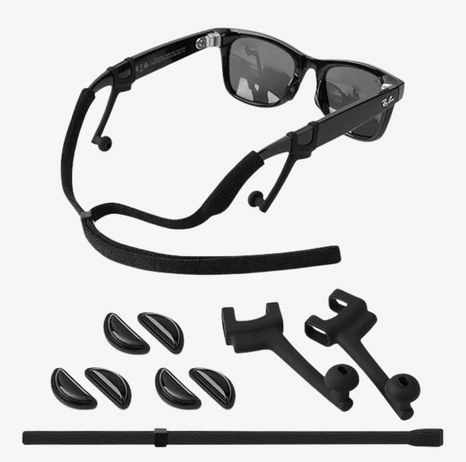
Smart Glasses Accessory Kit (Ear Tips + Strap + Nose Pads)
Read More
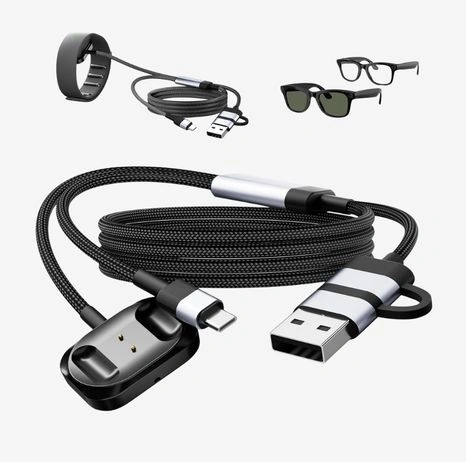
Magnetic Charger for Ray‑Ban Meta Neural Band (2‑in‑1)
Read More
1. Adjustable Sport Strap or Retainer for Ray‑Ban Display Glasses
A slim, adjustable sport strap attaches to the temple tips and keeps your glasses secure when you move. It’s especially useful if you’re walking, commuting, or using the display for navigation and real‑time captions on the go.
- Helps prevent the glasses from slipping during long days or in warm weather.
- Extra peace of mind in crowded places, public transport, or while traveling.
Best for: city commuters, travelers, and anyone who wears their Meta Ray‑Ban Display glasses for long, active sessions.
2. Hard Shell Carry Case for Ray‑Ban Display Glasses
A shaped hard shell case protects the frame and lenses from pressure, drops, and scratches when the glasses aren’t on your face.
- Prevents damage when you toss your glasses into backpacks, handbags, or carry‑ons.
- Keeps dust and debris away from the display surface and sensors.
Best for: users who frequently travel, work from multiple locations, or carry their glasses in a crowded bag.
3. Magnetic USB‑C Charging Cable / Dock
A magnetic USB‑C cable or dock makes connecting to your charging case or Neural Band faster and safer. The magnet helps guide the connector into place and disconnects cleanly if it gets snagged.
- Reduces wear on ports and connectors from repeated plugging and unplugging.
- Keeps your desk or nightstand tidy with a single, dedicated charging point.
Best for: heavy daily users who charge frequently and want a clean, reliable charging setup.
4. Lens Protector for Meta Ray‑Ban Display AI Glasses (3 Pairs)
Clear, cut‑to‑fit films are designed to cover the Display lenses and protect them from micro‑scratches, dust, and smudges without degrading clarity.
- Helps preserve long‑term display quality and sharpness.
- Safer cleaning: you can wipe more confidently without worrying about scratching the actual lens coatings.
Best for: daily wearers who take their glasses on and off often, or store them in bags and pockets.
5. HiBloks Matte Frame Stickers & Felt Sheet Liner Set
This set includes matte vinyl skins and felt liners custom‑cut for Ray‑Ban Meta Display Standard (47‑23) and the charging case. It adds a stealthy look, extra grip, and scratch protection.
- Matte finish reduces shiny reflections around the frame, which can help reduce distraction around the lens.
- Felt liners add a soft buffer between your gear and hard surfaces.
Best for: users who want a low‑profile aesthetic plus extra grip and cosmetic protection in one upgrade.
6. LED Light‑Blocking Privacy Stickers (20‑Pack)
These blackout stickers are compatible with Ray‑Ban Meta Gen 2 Wayfarer/Skyler/Headliner/Display and certain Oakley smart glasses. They dim or hide status LEDs so your glasses look more discreet in public or dim environments.
- Ideal for offices, meetings, or public transport where bright LEDs feel distracting or revealing.
- Lets you use AI features without drawing as much attention.
Best for: users who prioritize privacy and subtlety in low‑light or professional settings.
7. Increase Privacy Ear Tips / Sound Booster Tube
Clip‑on acoustic tubes and ear tips funnel audio closer to your ears and reduce sound leakage. They’re compatible with Ray‑Ban Meta Gen 1/2, Meta Oakley/Display, and several other smart glasses.
- Improves audio privacy for calls, captions, and AI responses.
- Reduces how much people around you can hear, especially in quiet places.
Best for: office workers, café regulars, commuters, and anyone who uses AI captions or calls in shared spaces.
8. Silicone Desktop Charging Stand for Neural Band
A washable silicone stand holds your Meta Neural Band securely while it’s attached to its magnetic charger. It keeps the band from slipping off the table or getting lost under other items.
- Gives you a fixed “home base” on your desk or nightstand for your Neural Band.
- Helps maintain a tidy charging area and reduces the chance of accidental drops.
Best for: users who charge the Neural Band daily and want a clean, stable charging spot.
9. Wristlet Case for Meta Ray‑Ban Display Neural Band
A compact, dustproof, pressure‑resistant wristlet case is designed specifically for the Meta Ray‑Ban Display band/wrist device.
- Protects the Neural Band when it’s not on your wrist.
- Easy to toss into a bag, suitcase, or larger organizer without worrying about damage.
Best for: travelers and anyone who switches between different devices during the day.
10. Smart Glasses Accessory Kit (Ear Tips + Strap + Nose Pads)
This bundled kit typically includes private ear tips/sound booster tubes, an anti‑drop lanyard or strap, and multiple nose pads sized for Ray‑Ban Meta Gen 1/2 and Meta Display/Oakley frames.
- One purchase to cover fit, security, and audio privacy upgrades.
- Extra nose pads help fine‑tune comfort and reduce slipping.
Best for: new Meta Ray‑Ban Display owners who want an all‑in‑one comfort and security starter pack.
11. Magnetic Charger for Ray‑Ban Meta Neural Band (2‑in‑1)
A 2‑in‑1 magnetic charging cable with brass alloy pins and a USB‑C connector is designed for the Meta Neural Band and works well alongside your Ray‑Ban Display ecosystem.
- Great as a dedicated “travel charger” or backup cable.
- Magnetic design makes alignment faster and reduces connector wear.
Best for: users who want a fast, travel‑friendly, and dedicated Neural Band charging solution.
IV. How to Use Display Accessories Effectively with Ray‑Ban Display Glasses
Think of your setup in “modes” to keep things simple:
-
Outdoor Mode
- Use your strap/retainer to keep the glasses secure while walking or cycling.
- Pair with lens protectors and, if you use them, clip-ons or matte frame stickers to manage glare.
-
Desk Mode
- Keep a cleaning cloth or kit within reach to quickly clear smudges from the display.
- Use your silicone stand and magnetic cables to charge your Neural Band or case at a fixed spot.
-
Travel Mode
- Store the glasses in a hard shell case inside your backpack or carry-on.
- Keep the Neural Band in its wristlet case for quick access and protection.
When attaching or removing accessories:
- Handle the frame by the temples and bridge, not the display surface.
- Check that nothing blocks cameras, microphones, or speakers.
- Test fit gently before applying full pressure to clips or magnets.
V. Tips for Protecting and Optimizing the Ray‑Ban Display
-
Clean correctly
- Use a microfiber cloth and lens-safe cleaner; avoid paper tissues and harsh chemicals.
- Wipe gently in small circles to remove smudges without stressing the coatings.
-
Store safely
- Put glasses in a hard case or padded sleeve whenever they’re not on your face.
- Don’t leave them loose on chairs, beds, or car seats where they can be sat on or crushed.
-
Avoid heat and direct sun buildup
- Don’t leave your glasses on a car dashboard or in direct sun for long periods.
- Excess heat can affect electronics, adhesives, and lens coatings.
-
Check accessories regularly
- Inspect straps, hinges, and contact points for wear or looseness.
- Replace any peeling stickers, stretched loops, or worn magnetic connectors.